


Fortinet FCP_ZCS-AD-7.4 Exam Practice Questions (P. 2)
- Full Access (55 questions)
- One Year of Premium Access
- Access to one million comments
- Seamless ChatGPT Integration
- Ability to download PDF files
- Anki Flashcard files for revision
- No Captcha & No AdSense
- Advanced Exam Configuration
Question #6
Refer to the exhibit.
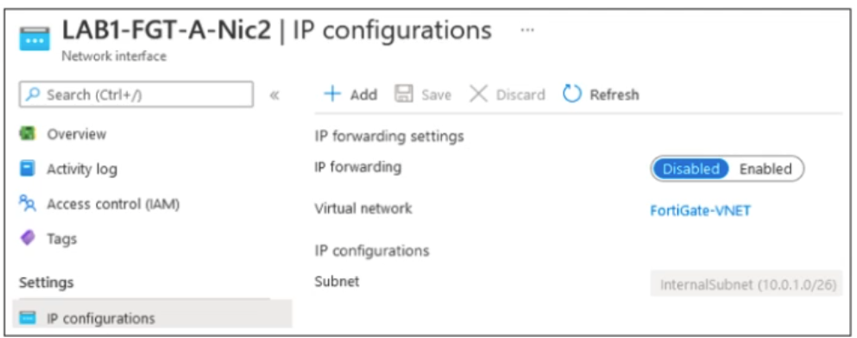
The exhibit shows some of the properties of a virtual NIC that is used by a FortiGate VM deployed in Azure.
The virtual NIC shown is connected to a subnet (10.0.1.0/26) with several VMs that will be accessing the internet through the FortiGate VM.
Which statement is true for this scenario?
The exhibit shows some of the properties of a virtual NIC that is used by a FortiGate VM deployed in Azure.
The virtual NIC shown is connected to a subnet (10.0.1.0/26) with several VMs that will be accessing the internet through the FortiGate VM.
Which statement is true for this scenario?
Question #7
Refer to the exhibits.
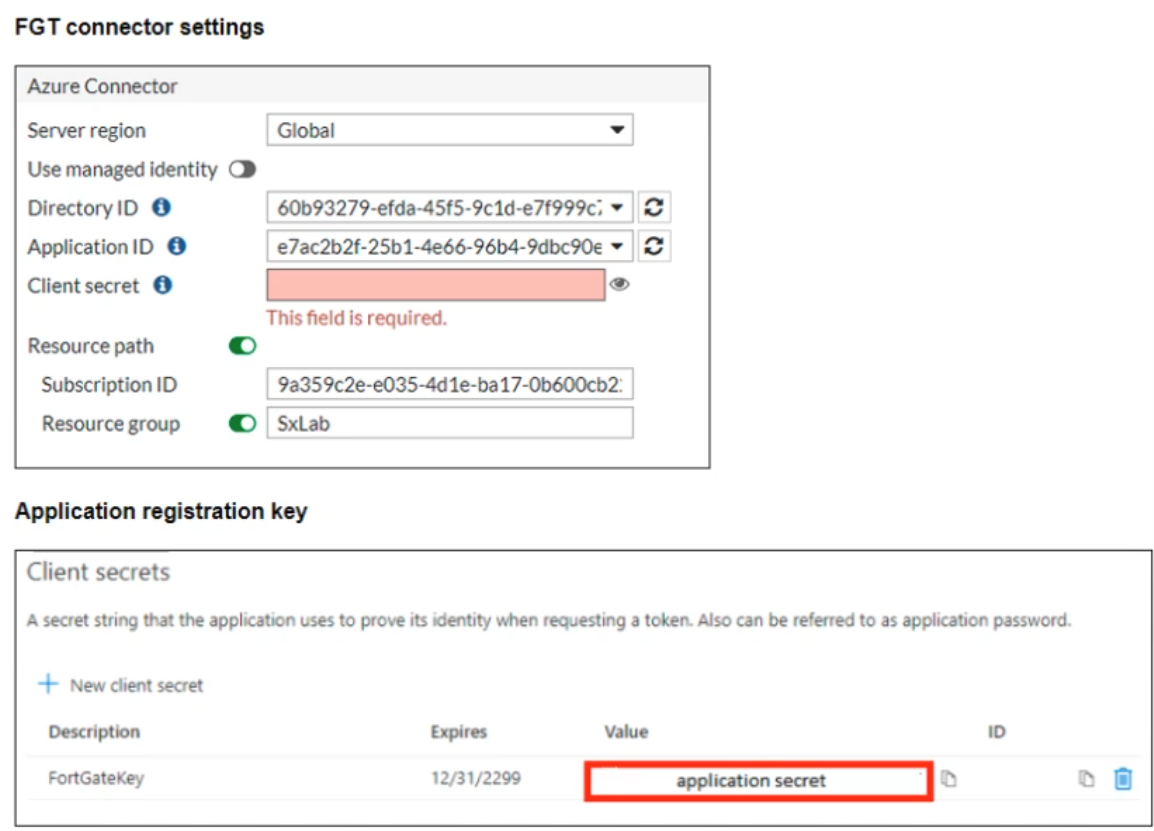
You are configuring an SDN connector for Azure on a FortiGate device You completed all the required steps on the Azure side. While configuring the FortiGate side, you notice that you did not save the client secret used in the Azure App Registration.
What is the quickest way to obtain the value of the client secret?
You are configuring an SDN connector for Azure on a FortiGate device You completed all the required steps on the Azure side. While configuring the FortiGate side, you notice that you did not save the client secret used in the Azure App Registration.
What is the quickest way to obtain the value of the client secret?
Question #10
Refer to the exhibits.
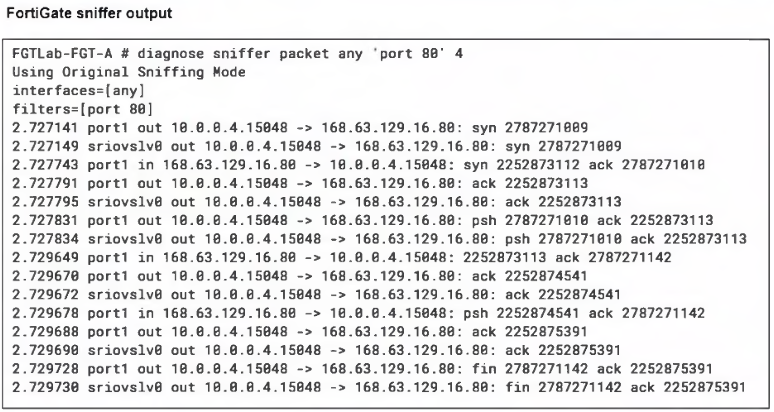
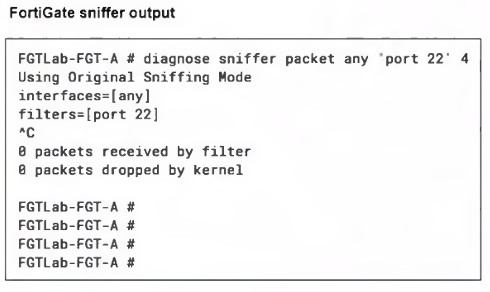
A high availability (HA) active-active FortiGate with Elastic Load Balancing (ELB) and Internal Load Balancing (ILB) was deployed with a default setup to filter traffic to a Linux server running Apache server.
Ports 80 and 22 are open on the Linux server, and on FortiGate a VIP and firewall policy are configured to allow traffic through ports 80 and 22. Traffic on port 80 is successful, but traffic on port 22 is not detected by FortiGate.
What configuration changes could you perform to allow SSH traffic?
A high availability (HA) active-active FortiGate with Elastic Load Balancing (ELB) and Internal Load Balancing (ILB) was deployed with a default setup to filter traffic to a Linux server running Apache server.
Ports 80 and 22 are open on the Linux server, and on FortiGate a VIP and firewall policy are configured to allow traffic through ports 80 and 22. Traffic on port 80 is successful, but traffic on port 22 is not detected by FortiGate.
What configuration changes could you perform to allow SSH traffic?
All Pages